The 5-axis slicer you can download today
Unlayered Slicer generates 5-axis and multi-axis FDM toolpaths, and you can install it today: no demo, no sales call, no annual licence. Free to download for Windows, macOS and Linux, it generates toolpaths for the Unlayered 5-axis printer, other 5-axis machines and robots.
What a 5-axis slicer does
A 5-axis slicer chooses the part's orientation along every toolpath, so each region is built on material already there, and checks every reorientation for toolhead collisions. The G-code drives both rotary axes with X, Y and Z. Overhangs stop needing supports because, relative to the nozzle, they are no longer overhangs, and layers can follow a part's load path instead of crossing it.

Unlayered Slicer is the 1st usable 5-axis slicer for anyone
For most multi-axis slicing software you need to book a demo, talk to sales and sign a large annual licence. The free alternatives are research code that you compile from source, run in a notebook, or drive from Rhino and Grasshopper.
Unlayered Slicer is a desktop app with an installer, built on OrcaSlicer, for desktop FDM. You download it, pick a printer and slice. Its 5-axis toolpaths run on the Unlayered printer, other 5-axis machines and robots. The full 5-axis slicer comparison lays out price, access and hardware for each option.
As easy as OrcaSlicer, and fast
Unlayered Slicer is built on OrcaSlicer, so 5-axis slicing uses the workflow you may already know: load a model, pick your printer and filament, slice, preview. No scripts, notebooks or CAD plugins.
It also runs on OrcaSlicer's compiled C++ engine, so it slices significantly faster than 5-axis projects written in Python.
Parts that benefit
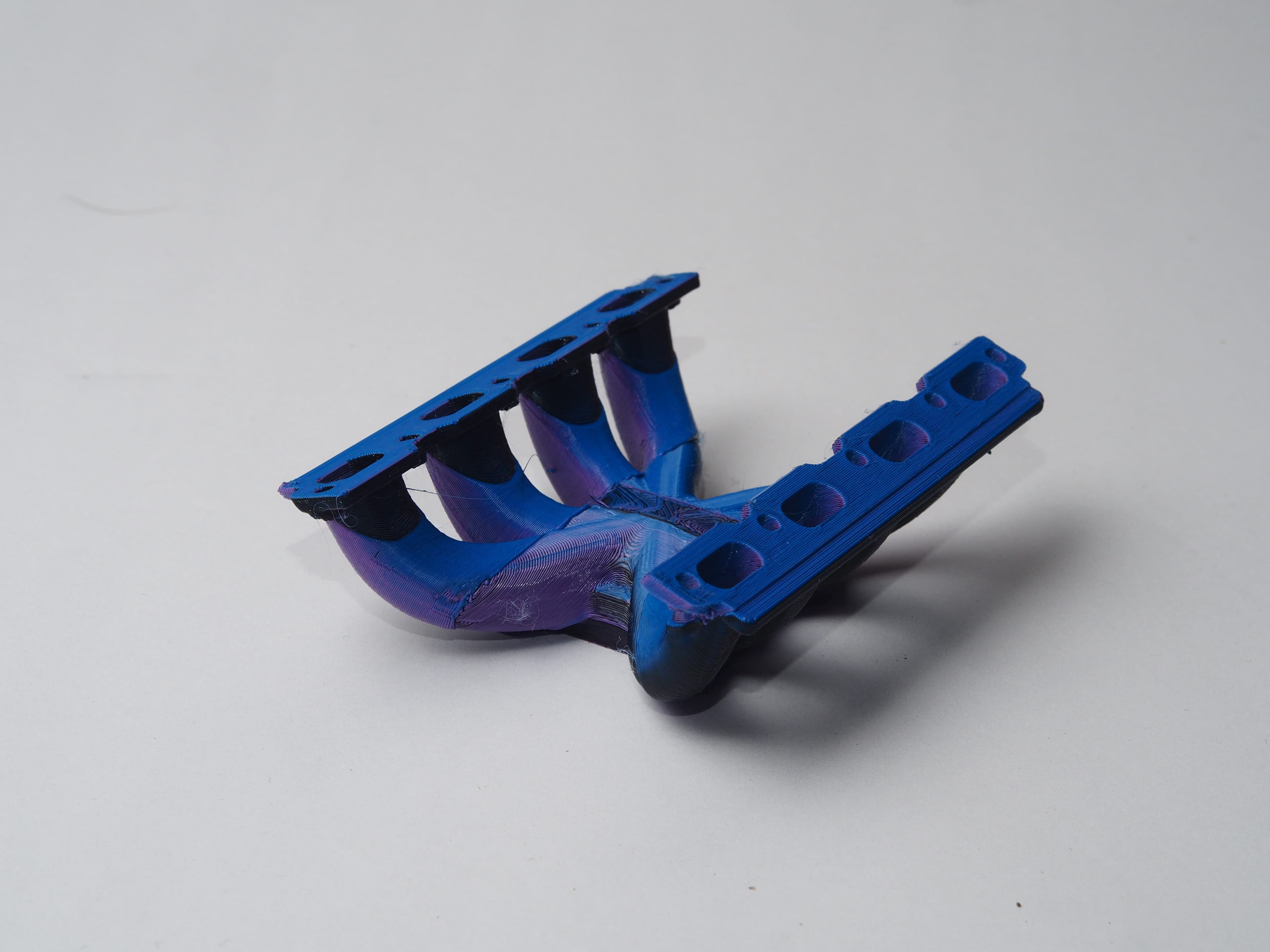
Parts with overhangs in several directions gain most, since no single planar orientation avoids supports, like the internal channels below. Rotationally symmetric parts fit too: the TPU CV boot on our home page was printed concentrically while spinning on the rotary axis.
No 5-axis printer yet?
Start on your 3-axis printer. Unlayered Slicer's non-planar and multi-planar tools run on it today: non-planar layers follow the load path for stronger parts, and wave overhangs print flat overhangs without supports.
A 3-axis toolhead can only curve a layer so far before it hits the part. For layers in any direction and overhangs at any angle, the Unlayered 5-axis printer runs the same slicer with full 5-axis toolpaths.
Frequently asked questions
Is there a free 5-axis slicer?
Yes. Unlayered Slicer is a free desktop download for Windows, macOS and Linux. Other free open-source research projects run from source code, notebooks, or inside a CAD program rather than an installer.
Do I need a 5-axis printer to use it?
No. Its non-planar and multi-planar tools run on 3-axis printers today. Full 5-axis toolpaths run on the Unlayered printer, other 5-axis machines and robots.